


Siliconwasteland is the official Web site of Steve Schwartz, computer and game book author. Over my 30-year career as a computer industry writer, I've written hundreds of articles and around 60 books designed to help people learn and master computer applications such as FileMaker Pro, Microsoft Office, Microsoft Access, CorelDRAW, Digital Image Suite, Internet Explorer/Outlook Express, and Quicken. I was also one of the first game book/strategy guide authors and wrote some of the earliest published books about Nintendo, Sega Genesis, Super Nintendo, PC, and Macintosh games.


Conquering Super Mario Bros. Adventures

Classic Video and Computer Game Books

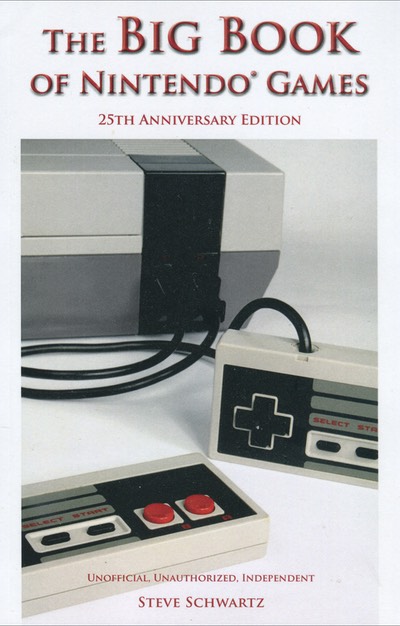
As one of the earliest authors of tip books and strategy guides, I'm making select titles available as Adobe Reader/Acrobat (PDF) files. Whether you're interested in beating an old game or are just nostalgic for the good old days, you can relive a bit of gaming history on your PC or Mac screen. The initial titles are Conquering Super Mario Bros. Adventures, Guide to Nintendo Adventure Games, The Big Book of Nintendo Games, Return to Zork Adventurer's Guide, and the official guides for Virtual Bart, Alone in the Dark 3, Shadow of the Comet, and Dust: A Tale of the Wired West. You can read about and order the PDF books in the new Game Books section.

Dust - A Tale of the Wired West: The Official Strategy Guide


Latest Titles: Downloadable Tables of Contents and Sample Chapters

To make it easy for you to see what's in many of my latest titles, I've added links that you can click to download the table of contents and a sample chapter. Each one is an Adobe Acrobat PDF file that will open in your browser or can be read with the free Adobe Reader software (formerly called Acrobat Reader).

Microsoft Office 2011 for Mac: Visual QuickStart Guide

Microsoft Office 2011 for Mac: Visual QuickStart Guide

Just in time to help you make sense of the new Ribbon interface and learn to use Outlook (Office 2011's replacement for Microsoft Entourage), you'll find plenty of new material in this updated Visual QuickStart Guide. Also provides a thorough introduction to using the Office Web Apps and accessing your SkyDrive documents using the Microsoft Document Connection.

[Contents] [Sample Chapter (4)]


Microsoft Office 2010 for Windows: Visual QuickStart Guide

Microsoft Office 2010 for Windows: Visual QuickStart Guide

Microsoft Office 2010 for Windows: Visual QuickStart Guide has been extensively rewritten to provide expanded coverage of the core Office applications: Word, Excel, PowerPoint, and Outlook, and also provides a thorough introduction to the Office Web Apps. Coverage of each application is jam-packed with information and tips that not only explain HOW to perform a task, but WHY you need this procedure and WHEN it's best to use it.

[Online Sample Chapter (4)] [Article: Ten Reasons to Upgrade to Office 2010]


Microsoft Office 2008 for Macintosh: Visual QuickStart Guide

Microsoft Office 2008 for Macintosh: Visual QuickStart Guide

Five months in the making, this update to my best-selling Office:Mac Visual QuickStart Guide contains step-by-step instructions and more than 1,000 screenshots to introduce you to the important features and procedures of Office 2008. If you've previously used Office, you'll benefit from the 60+ pages of new material, as well as detailed information about changes introduced in Office 2008.

[Contents] [PDF Sample Chapter (12)] [Online Sample Chapter (4)]


Microsoft Office 2007 for Windows: Visual QuickStart Guide

Microsoft Office 2007 for Windows: Visual QuickStart Guide

This new, written from scratch QuickStart provides step-by-step instructions for the commands and procedures you're most likely to use in six Office 2007 programs (Word, Excel, PowerPoint, OneNote, Outlook, and Publisher). Perfect for users who are new to Office, as well as those who are upgrading and wondering where Office 2003 commands can be found in the Ribbon -- now that the menus are gone!

[Contents] [PDF Sample Chapter (2)] [Online Sample Chapter (4)]


Creating a Database in FileMaker Pro 8.5: Visual QuickProject

Creating a Database in FileMaker Pro 8.5: Visual QuickProject

FileMaker Pro 8.5 introduces two important features that may not be readily understood: Web Viewers and named objects. To help users take advantage of these new features, I was asked by FileMaker, Inc. to produce an update of my previous book: "Creating a Database in FileMaker Pro 8: Visual QuickProject." Available only from Peachpit Press (Adobe Acrobat/PDF format). Requires FileMaker Pro 8.5 or higher.

For a description of the book, view the press release. If you reached this page looking for the downloadable icons used in the book's project, click here.

[Online Sample Chapter]


FileMaker Pro 8.5 Bible

FileMaker Pro 8.5 Bible

This edition updates the FileMaker Pro 8 Bible by adding material on the new Web Viewer (enabling you to display live Web pages in your databases), named objects, and their supporting script steps.


Creating a Database in FileMaker Pro 8: Visual QuickProject

Creating a Database in FileMaker Pro 8: Visual QuickProject

In the first version of this book (Creating a Database in FileMaker Pro), users learned to create a full-featured, flat-file database. In this edition, you're stepped through the process of creating a relational database called Investment Minder. The database contains multiple related tables, layouts, portals, buttons, and scripts. Requires FileMaker Pro 8.0 or higher.

[Contents] [PDF Sample Chapter] [Online Sample Chapter]


Creating a Database in FileMaker Pro: Visual QuickProject

Creating a Database in FileMaker Pro: Visual QuickProject

FileMaker Pro 7 has a wealth of features and capabilities that can be daunting to a new user. Rather than just wading in, you can use this step-by-step, full-color, 160-page guide/tutorial to create your first database and learn by doing. After buying the book, you can click here to download the button images for the database you'll be creating. The material in this book is applicable to FileMaker Pro 7.0 and higher.

Note: To create the database in this book, you must download a free update to FileMaker Pro 7. Click here for details.

[Contents] [Sample Chapter]


Entourage 2004 for Mac OS X: Visual QuickStart Guide

Entourage 2004 for Mac OS X: Visual QuickStart Guide

Entourage 2004 is the email/personal information management component of Office 2004. This extensive 350-page guide is the only book written exclusively about Entourage. Although simple enough for beginning and intermediate users to understand, it goes into great depth and is an excellent reference for "all things Entourage."

[Contents] [Sample Chapter]


Microsoft Office 2004 for Mac OS X: Visual QuickStart Guide

Microsoft Office 2004 for Mac OS X: Visual QuickStart Guide

Like the previous editions, Microsoft Office 2004 for Mac OS X: Visual QuickStart Guide covers all key components of Office 2004, including Word, Excel, PowerPoint, and Entourage. If this is your first version of Office, your first Mac version, or you just want to get up to speed on the new and key features as quickly as you can, you'll find this book ideal.

[Contents] [Sample Chapter]


Microsoft Office Access 2003 for Windows: Visual QuickStart Guide

Microsoft Office Access 2003 for Windows: Visual QuickStart Guide

Even after 25 years of progress in creating software, many programs still aren't easy to learn and use. And run-of-the-mill procedures may be neither simple nor obvious. Access (now known as Microsoft Office Access 2003) is a case in point. Since the manual is noticeably absent, you're apparently expected to learn to use this highly complex program by experimenting and reading the online Help. Want to learn how to create, customize, and use Access databases the easy way?

[Contents] [Sample Chapter]


Last Updated: 02/23/11